What we are seeing across 1,000+ users, written for owners and the firms that advise them. Unsubscribe any time.
Short answer: cash flow projections built from accounting data go wrong for six reasons. The forecast treats profit as cash, it ignores the balance sheet, it works in months when cash moves in weeks, it straight-lines a seasonal business, it runs on books that are behind, and nobody updates it. Bad bookkeeping is on the list, but it is rarely the main cause. Most of the error comes from how the projection was built.
I have built these by hand for hundreds of companies, first at an outsourced CFO firm and now at Clockwork. These are the six I see most, roughly in order of how much damage they do.
1. Profit is being treated as cash
On accrual books, revenue is recorded when you invoice and expenses when the bill arrives. Cash moves when the customer pays and when you pay the vendor. If customers take 45 days to pay, a great sales month shows up in the bank a month and a half later. A projection that skips that timing will be wrong in every month where sales change, so I forecast collections and payments from how receivables and payables have actually behaved.
2. The balance sheet is missing
Loan principal, sales tax remittances, inventory purchases, equipment, and owner distributions all take cash out of the business, and none of them appear on the P&L when the cash leaves. A projection built from income and expenses alone will overstate cash every time one of these comes due. The projection has to sit on all three statements so that every balance sheet movement lands in cash.
3. The forecast is monthly and the cash is weekly
A month can end with a healthy balance and still have a week where payroll and rent land before the receivables do. Monthly projections average that week away. The low point is the number that matters most, and you only see it if you forecast by the week, at least for the next quarter.
4. Last year's average is standing in for this year
Taking the last twelve months and dividing by twelve hides seasonality, growth, and one-time items. A landscaper and a tax practice do not earn in a straight line, and a business that just lost its biggest customer will not repeat last year. I would rather forecast from the drivers behind each line, like customers, pricing, headcount, and payment terms, and pull the one-time items out of the baseline.
5. The books are behind
This is the bookkeeping cause, and it is real. Uncategorized transactions, unreconciled accounts, and a month that has not been closed all flow straight into the projection. If the starting cash balance is wrong, everything after it is wrong by the same amount. Reconcile before you forecast, and be wary of any tool that forecasts over gaps in the data without telling you.
6. Nobody is updating it
A projection is accurate on the day it is built, and every transaction after that moves it. When updating means rebuilding a spreadsheet, it happens once a quarter, and the client ends up making decisions on numbers that are ten weeks old. The only fix I have seen hold up is connecting the projection to the books so it updates when they do.
How to check a projection you already have
- Compare last month's projected ending cash to the actual bank balance. A gap you cannot explain usually points to the first or second cause.
- Look for loan payments, tax payments, and distributions in the forecast. If they are missing, it was built from the P&L only.
- Ask when it was last updated. Anything older than a few days should be treated as stale.
Conclusion
Where Clockwork fits
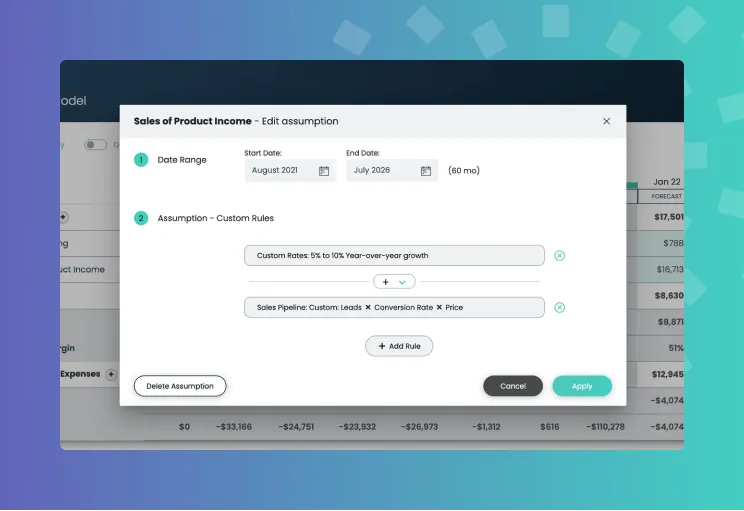
Clockwork is FP&A software that builds the projection the way a CFO would. Connect QuickBooks or Xero and it builds a 5-year, 3-statement model and a 52-week cash flow forecast from live transactions on a full balance sheet, in about five minutes. Every forecast line traces back to the accounts and transactions behind it, and the forecast updates as the books change.
See how the weekly cash flow forecast works, or book a demo and we will walk you through it in 15 minutes.